
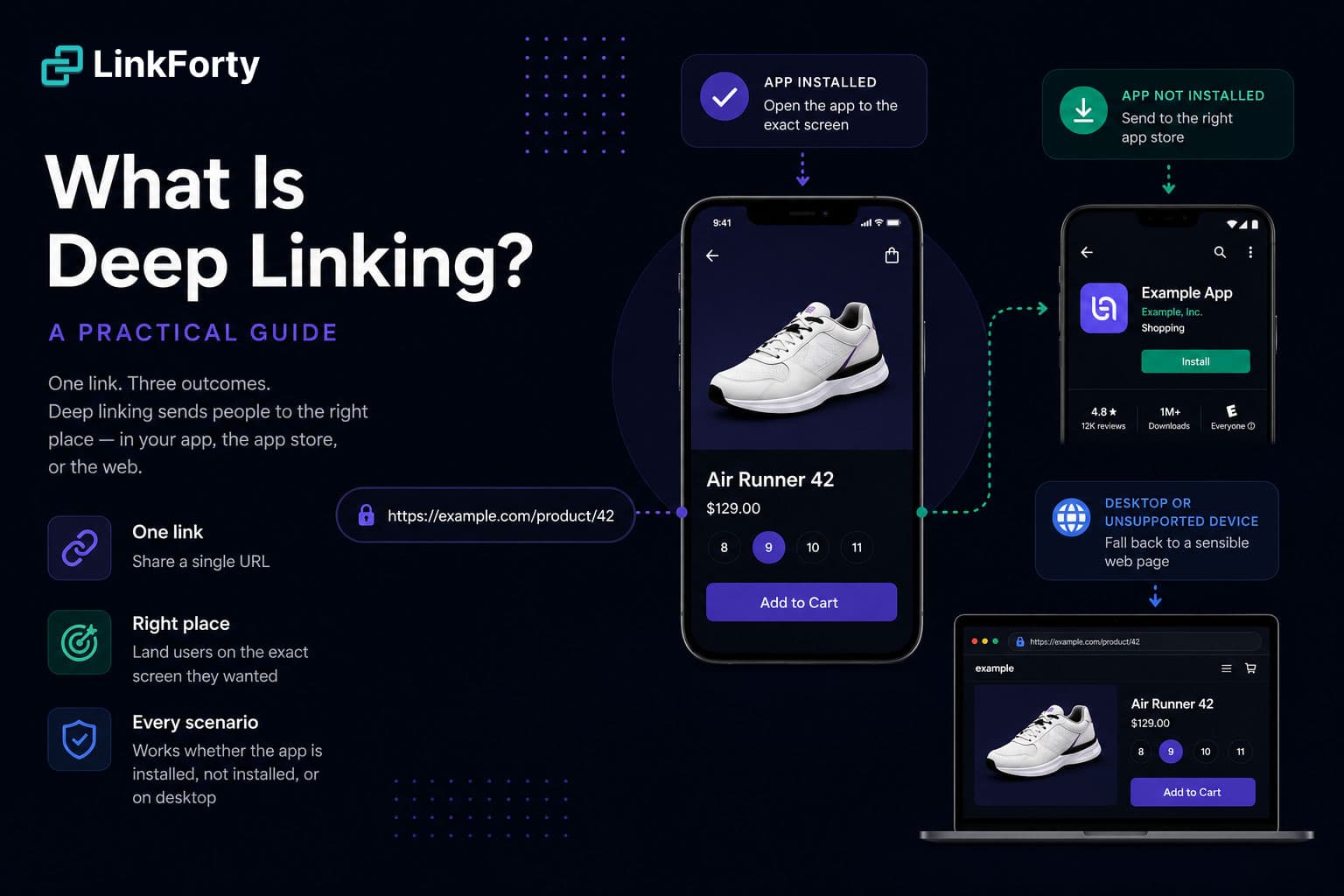
The one-sentence version
A deep link points to a specific location — a product, an article, a screen — instead of a generic home page. On the web that idea is so old it's invisible: every URL is a deep link. On mobile it's harder, because tapping a link has to decide whether to open a browser or hand off to an installed app, and that handoff is where most of the pain lives.
If you've ever sent someone a link to a product in your app and watched it dump them on the App Store home screen — or the app's splash page instead of the thing you linked — you've met the problem deep linking solves.
The three cases a link has to handle
The reason "just use a URL" isn't enough on mobile is that a single link has to gracefully handle three completely different situations:
- App installed → open the app, on the exact screen the link points to.
- App not installed → send the person to the right app store, and remember what they wanted so the app can finish the job after install.
- Desktop or unsupported device → fall back to a sensible web page.
A good deep linking setup makes one link do all three. Let's look at the mechanisms.
Standard deep links (URI schemes)
The oldest mobile approach is a custom URI scheme — myapp://product/42. If the app is installed and registered for myapp://, the OS opens it. Simple, but with two fatal gaps:
- No graceful fallback. If the app isn't installed, tapping
myapp://...produces an error or does nothing. There's no web page to catch the miss. - They can't be trusted from the open web. Browsers increasingly block or warn on scheme links, and anyone can register your scheme.
Custom schemes still have a role as an internal routing mechanism, but they're a poor choice for links you share with the world.
Universal Links & App Links
Apple's Universal Links (iOS) and Google's Android App Links fix the trust and fallback problems by using ordinary https:// URLs. You prove you own a domain by hosting a small association file on it:
- iOS:
apple-app-site-associationat/.well-known/ - Android:
assetlinks.jsonat/.well-known/
Now https://example.com/product/42 opens the app if it's installed, and simply loads the web page if it isn't. Same link, correct behavior in both cases — no error screens. This is the modern default for any link you hand to a real person.
The catch is that these files are unforgiving: one wrong content type, a stray redirect, or a missing app ID and links silently fall back to the browser with no error to tell you why. (We built a free AASA Validator precisely because this fails so quietly.)
Deferred deep linking
Universal Links assume the app is already installed. But the highest-value case is the opposite: someone taps a link to a specific product, doesn't have the app, installs it, and opens a blank home screen — the thing they wanted, gone.
Deferred deep linking closes that gap. The click is remembered, and after the fresh install the app retrieves the original destination and routes the new user straight to it. It's the difference between "download our app" and "here's the exact item you asked for." We go deep on the mechanics in Deferred Deep Linking, Explained.
What to reach for, when
- Sharing a link with a human → Universal Links / App Links over
https://. - New users who don't have the app yet → add deferred deep linking on top.
- Routing inside your own app → custom schemes are fine.
- Debugging "why won't my link open the app?" → check the association file first; it's the culprit far more often than the link.
Deep linking isn't one feature — it's a small stack of them working together so that a single link does the right thing for every person who taps it, on every device.