
The short answer
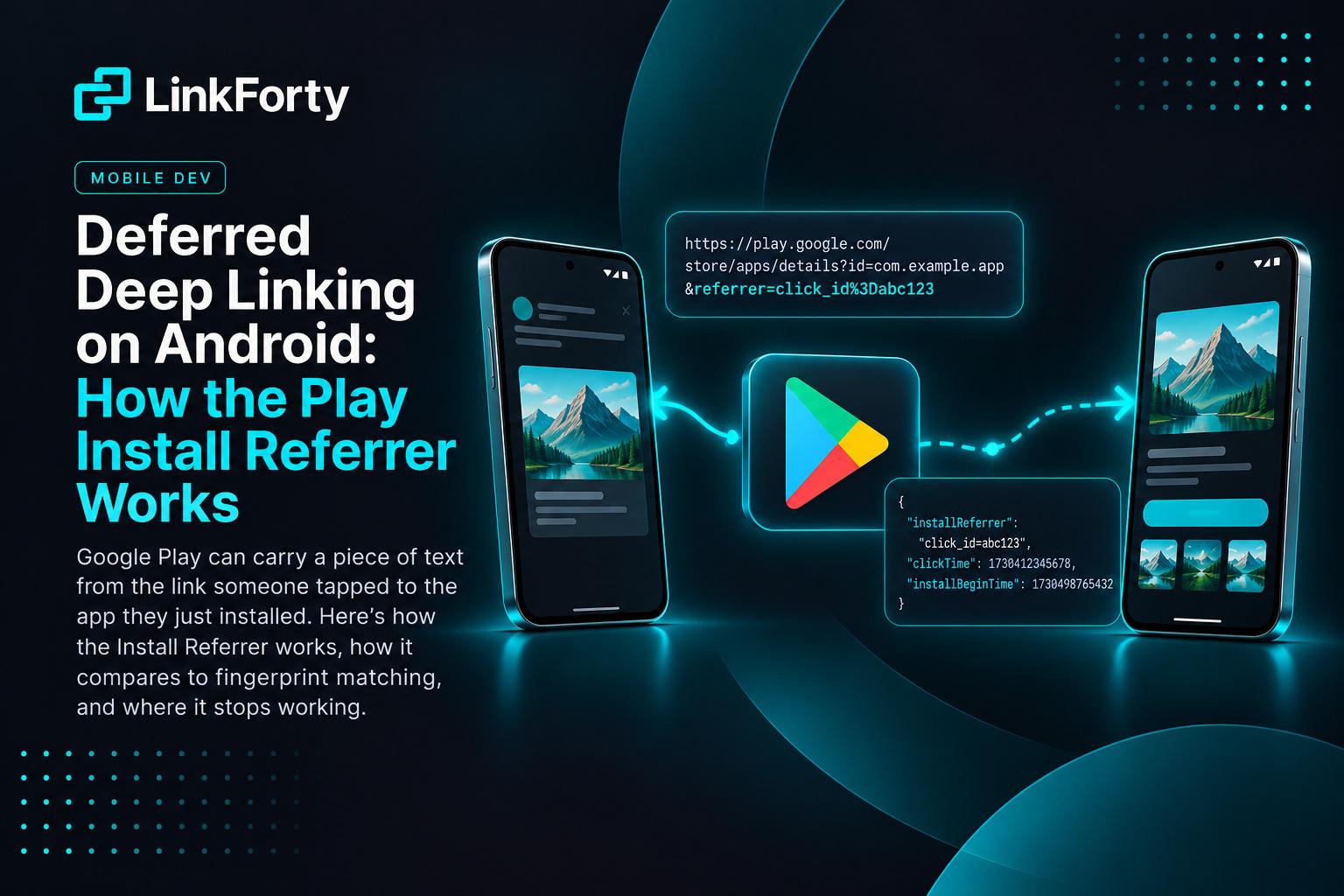
Deferred deep linking on Android works by passing information through Google Play. When a link sends someone to the Play Store, it can add a referrer parameter to the store URL. Google Play keeps that value with the install, and when the app opens for the first time it reads it back through the Play Install Referrer API. If the referrer identifies the click, the app knows exactly which link the new user tapped and can open the screen that link was for.
That's the whole mechanism. The rest of this post is about how to use it well, and the cases where it isn't there and you need something else.
Deep link vs. deferred deep link
A deep link opens an installed app on a specific screen: a product, a recipe, an invite. Android handles that with App Links: the phone checks your assetlinks.json file and hands the URL to your app.
A deferred deep link does the same for someone who doesn't have the app yet. They tap, go to the store, install, open, and still land on the thing they tapped. The deep link is deferred until after the install.
The hard part is the install itself. The tap happens in a browser or another app. The first open happens in a brand-new install that knows nothing. Something has to carry "which link was it?" across that gap. On iOS there's no official channel for that. On Android there is.
How the Install Referrer works, step by step
1. The link sends the visitor to a Play URL with a referrer.
https://play.google.com/store/apps/details?id=com.example.app&referrer=click_id%3Dabc123
The referrer value is any URL-encoded string you choose. Here it's click_id=abc123.
2. Google Play keeps the referrer with the install. The person can read reviews, look at screenshots and install whenever they like. The referrer stays attached.
3. On first launch, the app asks Play for it. The Play Install Referrer Library (com.android.installreferrer) connects to the Play Store app and returns the referrer details:
val client = InstallReferrerClient.newBuilder(context).build()
client.startConnection(object : InstallReferrerStateListener {
    override fun onInstallReferrerSetupFinished(code: Int) {
        if (code == InstallReferrerClient.InstallReferrerResponse.OK) {
            val details = client.installReferrer
            val referrer = details.installReferrer // "click_id=abc123"
            // send it to your server, then client.endConnection()
        }
    }
    override fun onInstallReferrerServiceDisconnected() { /* retry or give up */ }
})
Besides the referrer string, the details include when the click on the store page happened and when the install began.
4. Your server turns the referrer into a destination. The app sends the referrer up, the server looks up click abc123, finds the link it belonged to, and returns that link's data: a product id, a screen, an invite code. The app navigates there.
The old way to get this was the INSTALL_REFERRER broadcast. Google deprecated it in favor of the library above, so if an older guide tells you to register a broadcast receiver, skip it.
Why it beats fingerprint matching, when you have it
Without a referrer, the only way to connect an install to a click is to compare the two devices: the network they were on, the OS version, the time zone, the language. If an install looks like a recent click closely enough, call it a match.
That works when the conditions are right, but it has limits a referrer doesn't:
The referrer names the click. A fingerprint suggests one. When the referrer is there, use it, and keep fingerprint matching for everything else.
Where the referrer isn't there
The referrer only exists if the visitor went from your link to Google Play. These are the cases where it doesn't:
- iPhone installs. Apple has nothing equivalent.
- Other stores and sideloads. No Google Play, no referrer.
- In-app browsers. If your link is opened inside Instagram, Facebook or Gmail's built-in browser, sending the visitor to a web page first is often the better choice, because it gives your App Link a second chance to open the app (here's why). If the visitor then reaches the store from a badge on that page, the referrer only comes along if that badge's Play URL carries it.
- A slow first launch. The library talks to the Play Store app. If it doesn't answer quickly, the app has to decide how long to wait before showing the first screen.
Getting it right
A few rules that keep the referrer useful:
- Put an id in the referrer, not the destination. A click id lets your server apply its own rules: is the link still live, is the install inside the link's window, has a single-use link already been claimed? A raw destination skips all of that.
- Encode it. The
referrervalue is itself URL-encoded inside the Play URL. A raw&in it ends the parameter early. - Don't wait forever. Cap how long the first launch waits for Play, and fall back to fingerprint matching if it doesn't answer.
- Don't fall back when the referrer fails a rule. If the referrer names a click that's expired or already used, that's a real answer: the install is organic. Guessing a different click by fingerprint would be wrong.
- Record which method matched. Your analytics should say whether an install was matched by referrer or by fingerprint, so you know how much of your attribution is exact.
How LinkForty does it
LinkForty does this for you. When a link sends an Android visitor to Google Play, the Play URL carries the click's id in its referrer. The Android, React Native, Expo and Flutter SDKs read it on first launch (waiting at most 2 seconds) and send it with the install, and LinkForty matches the install to that click, under the same window, single-use and workspace rules as any other match. The deferred deep link tells your app attributionMethod: "install_referrer".
iOS installs, and Android installs that didn't come through Google Play, are matched by fingerprint, with no device IDs and no tracking prompt.
The deferred deep linking guide covers the SDK versions and both matching methods in detail.